
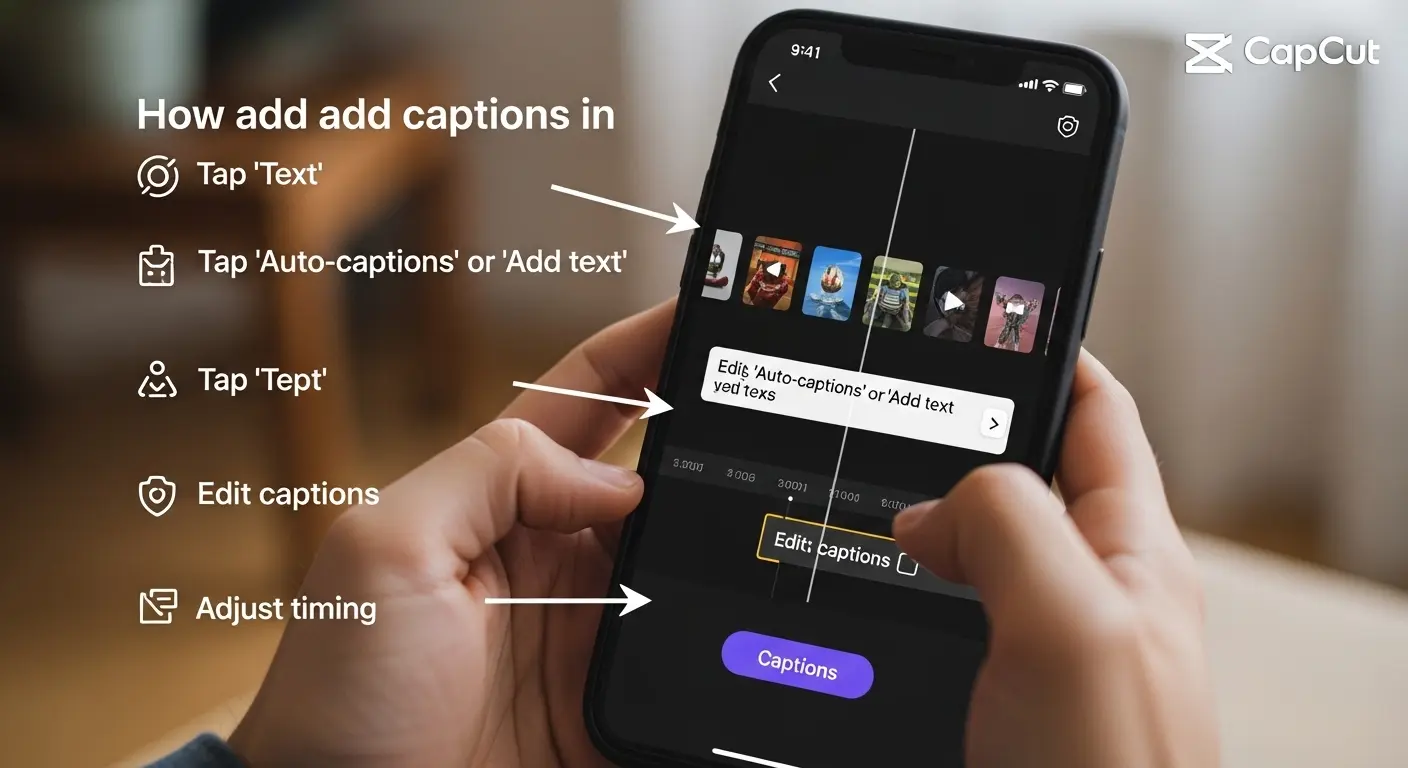
How to add captions in CapCut refers to the step‑by‑step process of inserting text into your CapCut video project whether manually typing, using auto‑generated speech‑to‑text, or styling captions for emotional, romantic, or viral impact in short‑form storytelling.
Whether you’re a beginner editing your first reel or a content creator refining your editing workflow, this guide will walk you through both the how‑to of adding captions in CapCut and give you ready‑to‑use caption ideas to drop into your videos — from romantic quotes to funny one‑liners, emotional snippets, seasonal phrases, and niche creative ideas.
How to Add Captions in CapCut: Step‑by‑Step Basics 📲🅰️
Before jumping into creative captions, here are quick steps you’ll see reflected in your editing process — and beneath are caption ideas you can drop directly into CapCut text layers.
-
🔹 Open CapCut and tap “New Project” to import your video.
-
🔹 Tap “Text” → “Add text” to create your first caption.
-
🔹 Type your caption, then style it with fonts, colors & shadows.
-
🔹 Use “Auto Captions” if you want CapCut to generate from audio.
-
🔹 Adjust timing so captions appear when spoken.
-
🔹 Use animation to make text pop.
-
🔹 Position captions so they don’t cover faces.
-
🔹 Use contrasting colors for readability.
-
🔹 Preview before export to ensure sync.
-
🔹 Export high quality for IG reels or TikTok.
-
🅰️ “Open your heart and edit like you mean it ❤️”
-
🅰️ “Start with love, end with sparkle ✨💛”
-
🅰️ “Every word matters — type it with intention 💬💕”
-
🅰️ “Let your captions sing 🎶”
-
🅰️ “Emojis make text feel alive 🌟😊”
-
🅰️ “Sync it tight, keep it right ⏱️💫”
-
🅰️ “Style like a storyteller 🎥✨”
-
🅰️ “Make your captions dance 💃🅰️”
-
🅰️ “Tap, type, and tell your truth 💖”
-
🅰️ “Edit with joy, caption with heart 💗”
How to Add Captions in CapCut for Romantic Moments ❤️💋
These are caption ideas you can paste as text layers to amplify feelings in wedding clips, couple reels, proposals, anniversary edits.
-
💘 “Because loving you felt like home 🏡💞”
-
❤️ “Every moment with you is my favorite 💫”
-
💕 “You + me = forever ✨”
-
😘 “Heart stolen, caption written 💖”
-
💑 “Swipe to see our love story 📖💗”
-
💍 “Engaged and enamored 🥂✨”
-
💞 “Your smile rewrote my world 🌎❤️”
-
💓 “Love loud, love proud 💕”
-
🥰 “To the moon and back — always 🌙💛”
-
💖 “In your arms, I found my forever 🤍”
-
❤️🔥 “Our spark is infinite ✨🔥”
-
💑 “Two souls, one chapter 📖💕”
-
💗 “Let’s grow old together 🌸❤️”
-
💘 “This is us — unfiltered + adored 📷💞”
-
💋 “You’re my today and every tomorrow 💫”
-
💛 “Love wrote our names in stars ✨”
-
🥂 “Celebrating us — cheers to love 🥰”
-
💞 “Heart check: you’re still mine 💓”
-
❤️ “Our reel — our real love 🎞️💕”
-
💫 “Captured every smile for you 📸💖”
How to Add Captions in CapCut for Emotional Storytelling 😢✨
Add captions that capture feelings, depth, vulnerability, and narrative arcs.
-
🌧️ “Some days are heavy, but I’m still here 💛”
-
💔 “Lessons wrapped in love 📦❤️”
-
🌿 “Strength grows in quiet moments 🌱”
-
💭 “I whispered hope into my heart 💙”
-
😔 “Lost but learning 🌀”
-
💫 “Tears watered my wisdom 🌧️✨”
-
💛 “I chose healing today 💚”
-
🌙 “Night thoughts get realest 🌌”
-
🌻 “Sunshine after storms 🌞”
-
💬 “Words I never said… until now 🗣️”
-
💙 “Growing pains, growing grace 🌿”
-
✨ “Beauty in brokenness 💔”
-
🕊️ “Soft heart, strong soul 🌸”
-
💭 “Quiet courage looks like this 🧡”
-
💜 “Love yourself enough to feel 💕”
-
🖋️ “My story isn’t over yet 📖”
-
💫 “Hope whispered, “try again 🕯️”
-
💗 “Bruised but becoming 💖”
-
🌹 “Rosebuds in the rain 🌧️🌹”
-
🧡 “Breathe through every emotion 🌬️”
How to Add Captions in CapCut for Fun & Playful Videos 😄🎉
Perfect for vlogs, day‑in‑the‑life clips, dance edits, trending sounds.
-
🎉 “Oops, I did it again 😂✨”
-
😄 “Smile first, edit later 😁🎬”
-
🕺 “Dance like nobody’s scrolling 💃🔥”
-
😎 “Too cool, too captioned 😌”
-
📸 “Caught in my own vibe 📷💫”
-
🍕 “Pizza first, everything else later 🍕❤️”
-
😂 “Laugh track needed here 😆🎧”
-
🎈 “Confetti in motion 🎉”
-
🤪 “Silly but sensational 🤪✨”
-
😜 “Wink if you feel this 😜💓”
-
🥳 “Party in a clip 🎊🎥”
-
🎤 “Sing it like you mean it 🎶”
-
🧁 “Frosting and fun 🧁💛”
-
📍 “Plot twist: I loved it 😂”
-
🍦 “Sweet moments only 🍨💕”
-
🐾 “Pets make everything better 🐶💖”
-
🎮 “Game mode: caption crazy 🎮✨”
-
🤩 “Star status: activated 🌟”
-
😂 “Dropping laughter bombs 💥”
-
🧠 “Today’s mood: goof mode 😄”
How to Add Captions in CapCut for One‑Word Impact 💥🅰️
Sometimes a single word with style becomes the whole emotion.
-
❤️ “Love”
-
✨ “Magic”
-
😂 “LOL”
-
🌿 “Breathe”
-
💪 “Strong”
-
💛 “Kind”
-
💫 “Forever”
-
🌞 “Shine”
-
📸 “Capture”
-
🎶 “Vibe”
-
🌀 “Flow”
-
🌙 “Dream”
-
🍀 “Lucky”
-
🌸 “Bloom”
-
💜 “Soul”
-
🔥 “Lit”
-
😎 “Chill”
-
💗 “Cherish”
-
🧠 “Grow”
-
💬 “Speak”
How to Add Captions in CapCut for Seasonal Themes 🎃❄️🌸☀️
Great for holidays, seasonal vibes, weather transitions.
-
🎃 “Haunted but happy 👻💛”
-
🍁 “Fall feels 🍂”
-
☃️ “Cozy in the cold ❄️💙”
-
🎄 “Holiday lights & caption delights ✨”
-
❄️ “Ice queen mode ❄️👑”
-
🌸 “Spring blooms 🌷💕”
-
☀️ “Sunshine state of mind ☀️”
-
🍦 “Summer sweet 🍨💛”
-
🏖️ “Beachy and breezy 🌊”
-
🌦️ “Rainy day reflections 🌧️✨”
-
🎆 “Fireworks & feels 🎇”
-
🌙 “Starry nights 🌌”
-
🍃 “Wind in my hair 🍃💫”
-
🌼 “Daisy days 🌼❤️”
-
🍂 “Crunchy leaves, warm hearts 🍁”
-
🐚 “Seashell stories 🐚”
-
🎃 “Pumpkin spice everything 🎃”
-
❄️ “Warm socks, warm soul 🧦”
-
🍁 “Sweater weather ❤️”
-
☀️ “Golden hour forever ☀️”
How to Add Captions in CapCut for Relationship Milestones 💍🥂
Use these for engagement reels, anniversaries, couple montages.
-
💍 “She said yes! 💕”
-
🥂 “To love, laughter, forever 🥰”
-
❤️ “One year, countless memories 📆”
-
💑 “We began, and we keep going 💗”
-
🌹 “Together in every season 🌸”
-
💛 “Our love story continues 📖”
-
💫 “Hand in hand forever 🤝”
-
🥰 “My favorite hello ❤️”
-
🎉 “Another year, another cheer 🥳”
-
💖 “Moments that matter 🕰️”
-
💞 “From first glance to forever 💘”
-
🔔 “Ring around our dreams 💍”
-
❤️ “Still choosing you 💛”
-
🌟 “Two hearts, one sparkle ✨”
-
📷 “Picture perfect moments 📸”
-
🗓️ “Date nights forever 💕”
-
🎁 “You’re my greatest gift 🎁”
-
💗 “Love milestone unlocked 🏆”
-
🥂 “Cheers to us 🥂”
-
💕 “And it feels eternal 💫”
How to Add Captions in CapCut for Cute & Whimsical Videos 🧸🌈
For pet reels, kids, adorable moments, heartwarming scenes.
-
🧁 “Too cute to handle 💕”
-
🐶 “Paws & playtime 🐾”
-
🐱 “Whisker wonders 🐱✨”
-
🌈 “Rainbow smiles 🌈💛”
-
🍭 “Sweet as sugar 🍬”
-
🦄 “Unicorn vibes only 🦄”
-
🐻 “Cuddle mode activated 🧸”
-
🍓 “Berry cute 🍓💗”
-
🐤 “Chirp & charm 🐥”
-
🍯 “Honey sweet 🐝”
-
🎀 “Ribbon ready 🎀💖”
-
🌸 “Petals & giggles 🌸”
-
🐌 “Slow moments, big smiles 🐌”
-
🐢 “Tiny but mighty 🐢💛”
-
🦋 “Fluttering feels 🦋”
-
🌟 “Sparkle sprinkles ✨”
-
🐰 “Bunny hugs 🐇”
-
🍀 “Lucky & lovable 🍀”
-
🐨 “Koala cuddles 🐨”
-
🍩 “Donut worry, be happy 🍩💛”
How to Add Captions in CapCut for Travel Edits ✈️🗺️
Perfect for trip vlogs, travel reels, scenic journeys.
-
✈️ “Wander often, wonder always 🌍”
-
🏞️ “Chasing horizons 🌄”
-
🌴 “Beach breeze & ease 🌊”
-
🗺️ “Map out memories 🧭”
-
🌆 “City lights & late nights 🌃”
-
🚗 “Road trip vibes 🚗💫”
-
🌇 “Sunset state of mind 🌅”
-
🏔️ “Mountain magic 🏔️💛”
-
🚢 “Sail away dreams 🚢💙”
-
🏖️ “Bare feet & salty hair 🌴”
-
🍜 “Tastes of travel 🍲”
-
🛵 “Scooter stories 🛵✨”
-
🌐 “Passport ready 🌍💼”
-
🧳 “Pack love, leave fear 💕”
-
📸 “Snap it, share it 📷💖”
-
🏕️ “Campfire chats 🔥”
-
🌌 “Stars on the road 🌠”
-
✈️ “Next stop: wonder ✨”
-
🗻 “Peak feelings 🏞️”
-
🌺 “Travel hearts 🌺💛”
How to Add Captions in CapCut for Food & Lifestyle 🍰☕️
Use these for food reels, recipe clips, cozy life snippets.
-
🍰 “Sweet bites, sweeter vibes 💕”
-
☕ “Coffee first, captions second ☕✨”
-
🍕 “Pizza parade 🍕💛”
-
🥗 “Fresh flavors 🌿”
-
🍹 “Sip, savor, smile 🍹”
-
🥞 “Breakfast bliss 🥞”
-
🧁 “Sprinkle happiness 🧁”
-
🍓 “Berry mornings 🍓💖”
-
🍜 “Warm bowls, warm hearts 🍲”
-
🥑 “Avocado dreams 🥑💛”
-
🍟 “Crispy & cheerful 🍟😊”
-
🍸 “Cheers to life 🍸✨”
-
☀️ “Sunny tastes ☀️”
-
🍇 “Juicy joy 🍇💖”
-
🍽️ “Plate full of love 🍽️❤️”
-
🥤 “Sip that smile 🥤💕”
-
🍫 “Chocolate feels 🍫💫”
-
🍩 “Donut forget joy 🍩”
-
🍳 “Cooking up love 🍳”
-
🍷 “Wine nights 🍷💛”
How to Add Captions in CapCut for Fitness & Motivation 🏋️♀️🔥
Perfect for gym reels, workout edits, transformation videos.
-
💪 “Stronger every day 💥”
-
🏃♀️ “Run your own race 🏃♂️”
-
🤸♀️ “Flex that confidence 💪”
-
🥇 “Win within 🧠”
-
🔥 “Burn bright, not out 🔥”
-
🏋️♂️ “Lift, love, repeat 💛”
-
🧘♀️ “Calm in every move 🌿”
-
🏃♂️ “Step by step 🦶”
-
💦 “Sweat + smile 💦”
-
🌟 “Train with heart ❤️”
-
⚡ “Push past limits ⚡”
-
🏆 “Victory in progress 🏆”
-
💛 “Mind strong, body stronger 🧠”
-
🤩 “Goals in motion 🚀”
-
💫 “Focus fuels fire 🧡”
-
💚 “Healthy = happy 💚”
-
🌀 “Breath, focus, conquer 🌬️”
-
🎽 “Caps on, game on 🎽💛”
-
🥤 “Refresh & reset 🥤”
-
🏃♀️ “Every rep counts 🏋️♀️”
How to Add Captions in CapCut for Cute Self‑Love Moments 💖🌿
Self‑affirming captions to pair with self care clips.
-
💖 “I choose me 💫”
-
🌸 “Bloom where I’m planted 🌱”
-
✨ “Glow from the inside 💛”
-
😊 “Smile for yourself 😊”
-
💛 “Love begins with me 💗”
-
🌞 “Shine on 💛”
-
🧠 “I’m learning, I’m growing 🌿”
-
💗 “Heart first 💞”
-
🌷 “Gentle with myself 🌷”
-
💫 “Kindness starts here 💛”
-
💜 “My own sunshine 🌞”
-
🌿 “Peace looks good on me 🌿”
-
💖 “Unapologetically me 💫”
-
🤍 “Soft heart, strong will 🤍”
-
✨ “Magic within me ✨”
-
😊 “Self‑love in motion 💃”
-
💛 “I deserve joy 💛”
-
🌸 “Rise with grace 🌸”
-
🧡 “Today I choose happy 🧡”
-
💫 “Inner peace, outer glow 💫”
How to Add Captions in CapCut for Viral Trends 🚀🔥
Cutting‑edge caption styles to help your trends pop.
-
🚀 “Trend alert! 🔥”
-
💥 “Watch till the end 👀”
-
🎵 “Beat drop incoming 🎶”
-
⚡ “This one’s blowing up ⚡”
-
🎉 “Get ready to dance 🕺”
-
👀 “Did you see that? 👀”
-
📈 “Views go up 🔥”
-
😎 “Next level edit 😎”
-
🎬 “Reel it real 🎥”
-
💡 “Idea of the day 💡”
-
🌀 “Swipe for the twist ✨”
-
🔁 “Loop it live 🔁”
-
🎤 “Caption this! 💬”
-
💫 “Trend vibes only 💫”
-
🥳 “Join the hype 🥳”
-
🧠 “Smart edit wins 🧠”
-
🕒 “Timing = 🔑”
-
💗 “Love this trend 💗”
-
🚀 “Boost your reels 🚀”
-
🌟 “Star moment 🌟”
How to Add Captions in CapCut for Behind‑the‑Scenes 🎥🤫
Give your audience a peek behind the curtain.
-
🎬 “BTS vibes 🎥”
-
🤫 “Secret moments 🤐”
-
🎭 “Real, raw, uncut 🎭”
-
🎥 “Camera rolling 🎬”
-
📸 “Caught in action 📸”
-
😅 “Oops, blooper moment 😅”
-
🧠 “Thought process 🧠”
-
🔧 “Making magic 🔧✨”
-
🕶️ “Director’s cut 🕶️”
-
🤓 “Nerding out here 🤓”
-
📝 “Script scribbles 📝”
-
📍 “Location log 📍”
-
🎧 “Sound check 🎧”
-
🪩 “Editing zone 🪩”
-
🚪 “Opening doors 🚪”
-
📆 “Day in the life 📆”
-
📎 “Clip by clip 📎”
-
🧠 “Idea to execution 💡”
-
🎯 “Aim, cut, post 🎯”
-
🌟 “Behind the glow 🌟”
How to Add Captions in CapCut for Motivational Quotes 💪🌈
Inspire your audience while teaching them the art of adding captions.
-
🌟 “Dream big, work bigger 💫”
-
💪 “Your only limit is you 🧠”
-
🌈 “Find joy in the journey 🌿”
-
✨ “Shine like you mean it ✨”
-
🧡 “Courage starts with you 🧡”
-
🚀 “Rise and grind 🚀”
-
🌞 “Today is your day ☀️”
-
💛 “Keep going 💛”
-
📈 “Growth happens here 📈”
-
🎯 “Focus and conquer 🎯”
-
💜 “Heart over fear 💜”
-
💫 “Believe, then achieve 💫”
-
🧠 “Mindset is magic 🧠”
-
🌿 “Peace begins within 🌿”
-
🔥 “Fuel your fire 🔥”
-
🎉 “Celebrate small wins 🎉”
-
🌀 “Find your flow 🌀”
-
💗 “Love your effort 💗”
-
🌟 “Manifest your best 🌟”
-
🤝 “Support your soul 🤝”
How to Add Captions in CapCut for Dance & Music Videos 💃🎶
Make lyrics and moves sync with captions that feel the beat.
-
🎵 “Drop the beat 🎧”
-
💃 “Dance like flames 💥”
-
🎤 “Sing it loud 🎤”
-
🎶 “Rhythm in text 🎶”
-
🕺 “Step and caption 🕺”
-
🎹 “Melody moods 🎹”
-
🌟 “Vibe check 🌟”
-
🎷 “Smooth moves 🎷”
-
🎸 “Strings & swings 🎸”
-
🥁 “Beat on 🥁”
-
🎻 “Strings of emotion 🎻”
-
🔊 “Bass booming 🔊”
-
💫 “Feel the music 💫”
-
🎧 “Headphones on 🎧”
-
🌀 “Beat sync 🌀”
-
🎼 “Sheet to street 🎼”
-
📀 “Old school feels 📀”
-
😎 “Groove guaranteed 😎”
-
🎵 “Play it again 🎵”
-
💥 “Dance explosion 💥”
How to Add Captions in CapCut to Tell a Story 📖💬
Connect with your audience through narrative captions.
-
📖 “Once upon a reel… ✨”
-
💭 “Remember this moment? 💭”
-
🛤️ “Here’s how it began 🛤️”
-
🌿 “Story told in motion 🌿”
-
🧠 “Thoughts unfiltered 🧠”
-
💫 “Chapter one: you 🌟”
-
💗 “Heartbeats in text 💗”
-
👣 “Step by step 👣”
-
🗺️ “Journeys worth sharing 🗺️”
-
💬 “Words that matter 💬”
-
📌 “Pin this memory 📌”
-
🌈 “Colors of our story 🌈”
-
🎀 “Tied up in emotion 🎀”
-
🕯️ “Light in the dark 🕯️”
-
💎 “Precious moments 💎”
-
📘 “Page after page 📘”
-
🌞 “Sunlit chapters 🌞”
-
🌀 “Twists & turns 🌀”
-
❤️ “Love woven through ❤️”
-
✨ “Every moment glows ✨”
How to Add Captions in CapCut for Product & Business Videos 📦📈
Boost engagement and conversion with captions that sell.
-
📦 “Unbox with us 📦”
-
💼 “New arrival! 💫”
-
📈 “Made to perform 📊”
-
💛 “Designed for you 💛”
-
🛍️ “Tap to explore 🛍️”
-
💥 “Limited edition 💥”
-
🎉 “Just launched 🎉”
-
📲 “Order now 📲”
-
🎁 “Gift ready 🎁”
-
🔥 “Hot item 🔥”
-
📣 “Announcement time 📣”
-
💡 “Innovate your life 💡”
-
🌟 “Customer fave 🌟”
-
🏷️ “Special deal 🏷️”
-
📸 “Swipe for details 📸”
-
🛒 “Add to cart 🛒”
-
💳 “Shop now 💳”
-
📦 “Fast delivery 🚚”
-
🧪 “Tested & trusted 🧪”
-
💯 “Quality guaranteed 💯”
How to Add Captions in CapCut to Boost Engagement 🚀💬
Caption phrases that invite likes, comments, saves, shares.
-
💬 “Comment your thoughts 💭”
-
❤️ “Double‑tap if you agree ❤️”
-
📌 “Save this for later 📌”
-
🔁 “Share with your crew 🔁”
-
🤔 “What would you do? 🤔”
-
👇 “Drop a comment below 👇”
-
💡 “Tag someone who needs this 💡”
-
🥰 “Tag your partner ❤️”
-
📲 “Screenshot and share 📲”
-
🤩 “React with an emoji! 🤩”
-
💥 “Caption your reaction 💥”
-
🧠 “Quiz time 🧠”
-
📣 “Tell your story 📣”
-
🗳️ “Vote in comments 🗳️”
-
👫 “Who agrees? 👫”
-
🤝 “Let’s connect! 🤝”
-
🛎️ “Hit follow for more 🛎️”
-
🚨 “Don’t miss this 🚨”
-
💫 “Engage for good vibes 💫”
-
📈 “Share your wins 📈”
How to Add Captions in CapCut: Common Mistakes to Avoid ❌🛠️
Even mistakes can become captions if framed right — but here are phrases describing what not to do that you can reflect in your editing mindset.
-
❌ “Text too small — fix it! 🔍”
-
❌ “Timing off — adjust it ⏱️”
-
❌ “Colors clash — change them 🎨”
-
❌ “Busy background — simplify 📹”
-
❌ “Overcrowded text — edit down ✏️”
-
❌ “Unreadable font — switch it 🅱️”
-
❌ “Auto captions wrong — correct them 🛠️”
-
❌ “Too fast — slow it 📍”
-
❌ “No contrast — add shadows 🖤”
-
❌ “Text out of frame — reposition 📐”
-
❌ “Emoji overload — balance 😉”
-
❌ “Caps lock overuse — breathe 😮”
-
❌ “No alignment — center it 📏”
-
❌ “No hierarchy — emphasize 📌”
-
❌ “No testing — preview first 👀”
-
❌ “Too long — trim it ✂️”
-
❌ “No captions — miss audience 🎙️”
-
❌ “Ignoring readability — fix font 🆎”
-
❌ “Poor spacing — adjust gaps 🧩”
-
❌ “Mismatched vibe — keep consistent 🎭”
🌟 How to Build Your Own Caption‑Writing Framework (Bonus)
Here’s a soft, feminine, flirty formula you’ll use over and over:
-
Hook (1–4 words) — grab attention
-
Emotion (2–6 words) — feelings first
-
Action/CTA (optional) — invite engagement
-
Style elements — emojis, spacing, fonts
Example:
👉 “Shine Bright ✨ — Tag your glow‑up partner 💛”
📣 Top Hashtags to Pair with Your CapCut Captions
Use these after the caption text layer:
-
#CapCutTips
-
#CaptionMagic
-
#VideoText
-
#EditingLife
-
#ReelCaptions
-
#SocialStory
-
#CreativeEdit
-
#ViralReels
-
#CapCutCreators
-
#CaptionStyle
❓FAQ — How to Add Captions in CapCut
1. How do I enable auto captions in CapCut?
Open your project ➜ Text ➜ Auto Captions ➜ select language ➜ generate and edit timings.
2. Can I edit auto‑generated captions?
Yes — tap the caption text to correct words, timing, and style.
3. What fonts are best for readability?
Choose sans‑serif fonts with good contrast and shadow for clarity.
4. How do I time captions to audio?
Use the timeline slider — drag edges of caption to align with sound.
5. Can I animate my captions?
Yes — select the text layer, tap Animation, choose an entrance/exist.
6. Are emojis supported in captions?
Absolutely! Emojis enhance emotional expression and visual appeal.
7. Should captions be short or long?
Keep them short for reels, longer for narrative storytelling.
8. Do captions boost engagement?
Yes — captions make content accessible and increase watch time.
9. Can I save caption templates?
Create styled text templates in CapCut and reuse them.
10. Is CapCut free for captions?
Yes — caption features are included in the free version.
💖 Conclusion — Captions in CapCut Are Your Heartbeat in Video
Learning how to add captions in CapCut is more than a technical skill it’s a way to amplify emotion, narrative, and connection in every reel or story you publish. With the steps above and the massive lists of caption ideas you can paste straight into your edits, you’re ready to up your video storytelling game, boost engagement, and connect with your audience on a human level.
⭐ Save this guide, share it with your creator friends, and comment your favorite caption below! Editing becomes effortless when your words move hearts. 💞

Turning everyday moments into catchy, relatable captions.